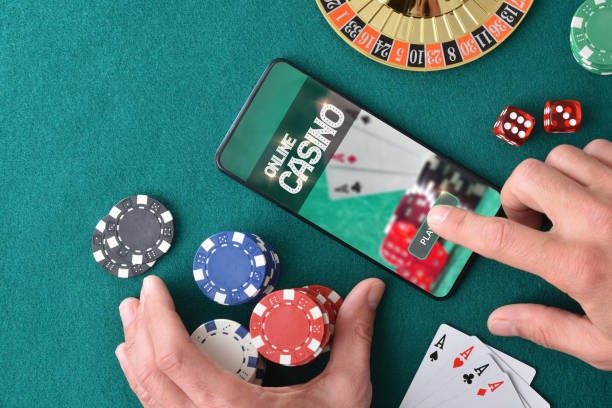
Getting banana slot on your device
We offer three installation methods to suit your device and preference. Android users can download our APK directly from our site; iOS users can add banana slot to their home screen as a web app; and all users can access the full platform through any modern browser. Each method connects to the same account, so your balance, history, and settings remain synchronized across all devices.
Installation walkthrough
- Download the banana slot app file or navigate to our site in your browser.
- Follow the on-screen prompts to install or add to your home screen.
- Open the app and log in with your banana slot username and password.
- Start accessing live-dealer tables, football markets, and slot games immediately.

The banana slot app consolidates your entire gaming and betting experience into one interface. Live-dealer tables load with multi-camera feeds, sportsbook odds update in real time, and your account balance syncs instantly across all sessions. Push notifications alert you to market movements, live-game updates, and account activity—all without draining your device battery or data allowance.
Our mobile-first design prioritizes responsiveness over visual flourish. Tables render quickly even on 3G connections, and the app caches essential game data so you can browse available markets offline. Once you reconnect, your selections and account state resume seamlessly.
App versus browser: which is right for you
The banana slot app offers offline caching, push notifications, and faster load times compared to the mobile browser. If you play regularly or use weak networks, the app is the better choice. The browser version requires no installation and works on any device with a modern browser—ideal for occasional users or those on shared devices. Both connect to the same account and offer identical game libraries, payment methods, and support channels. Choose based on your usage pattern and device storage availability.
Device compatibility
Our Android APK requires Android 7.0 or later; most devices from the past five years meet this requirement. The iOS web app works on iOS 12 and above, covering all recent iPhone and iPad models. The browser version runs on Chrome, Safari, Firefox, and Edge on any device with at least 2 GB of RAM. If your device is older or runs an unsupported OS version, the browser access remains available as a fallback.
Troubleshooting common installation issues
If your Android device blocks the APK installation, check your security settings and enable "Unknown sources" or "Install from unknown apps" for the banana slot app. iOS users who see a certificate warning should verify they are installing from our official domain and trust the certificate when prompted. If the app crashes on launch, clear your device cache, restart your phone, and reinstall. For persistent issues, contact our support team—we maintain English-language help channels and aim to respond within standard business hours.
Installation checklist
- Verify your device meets the minimum OS version
- Download from our official site or app store link only
- Allow necessary permissions (camera for KYC, notifications for updates)
- Log in with your banana slot account credentials
- Test a small transaction to confirm connectivity
Data, permissions, and account security
The banana slot app requests camera access only for identity verification during account setup and withdrawal requests. We do not access your camera, microphone, or location data for any other purpose. All communication between your device and our servers uses industry-standard SSL encryption. Your password is never stored on your device—only a secure session token is cached locally. If you log out or uninstall the app, this token is deleted immediately. We recommend using a strong, unique password and enabling two-factor authentication if available on your account.

Payment methods and withdrawal flow on mobile
The banana slot app supports all major Indonesian payment methods: DANA, e-wallet, mobile banking, local payment, online payment, e-wallet, and direct bank transfers via mobile banking, local payment, online payment, and e-wallet. Deposits process instantly; withdrawals are subject to verification windows and your account status. The app displays your transaction history, pending withdrawals, and available balance in real time. If a withdrawal is delayed, check your account notifications or contact support—we maintain multiple contact channels and respond during standard business hours.